

Public share
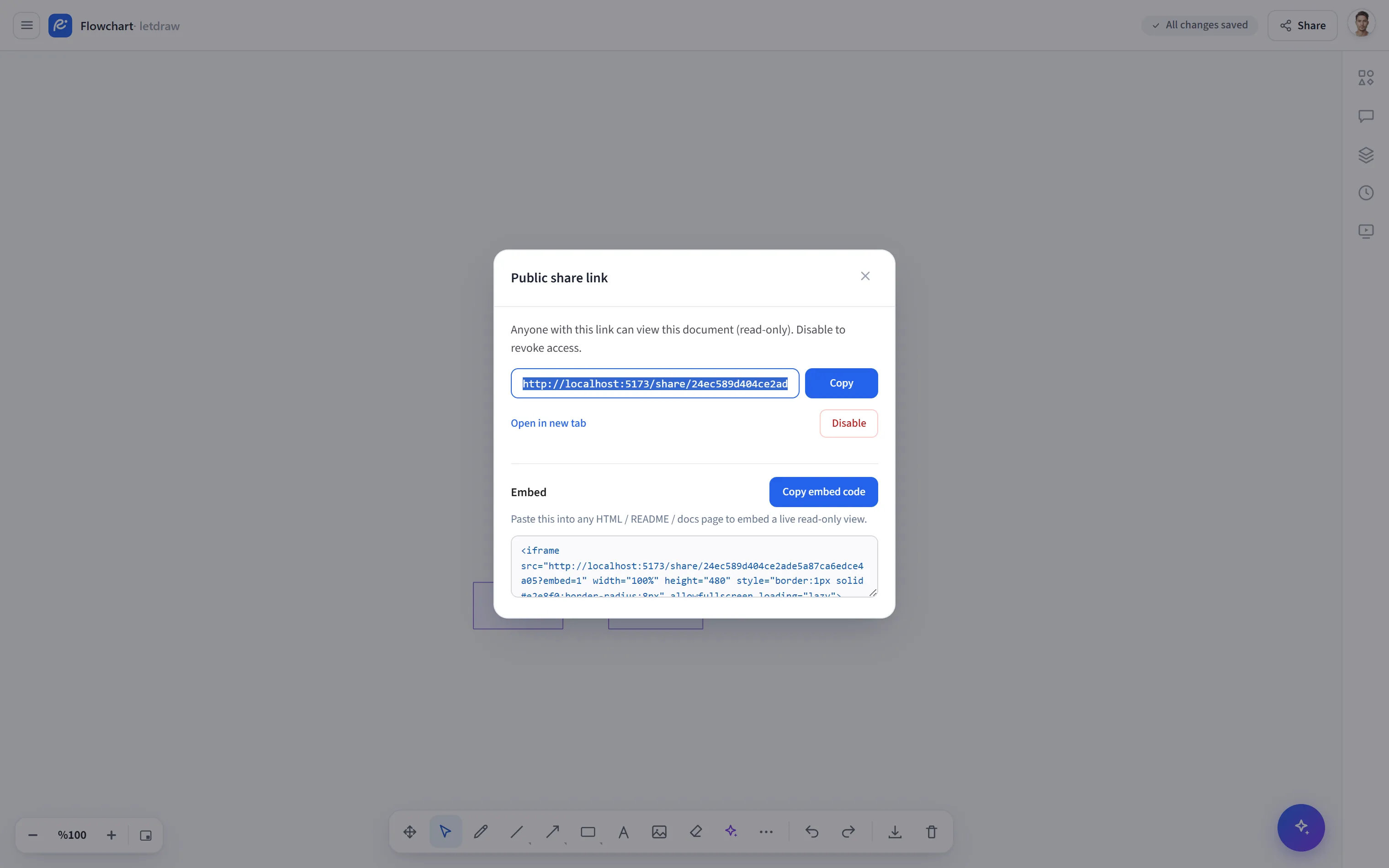
Public share opens a read-only public URL for your active (cloud-saved) document. Anyone with the link can view the document without creating an account or signing in (they cannot edit it). It is ideal for sharing a drawing on a blog, in documentation, or with a client.
How to open it
Section titled “How to open it”Click the Share button in the top right and choose Public share from the menu.
Requirements
Section titled “Requirements”This option only appears when you are signed in and working on a cloud document; it does not show up in the menu for guest usage or a local draft.
How to use it
Section titled “How to use it”- Open Share -> Public share.
- Press Create public link; a read-only URL is generated.
- Share the URL with Copy or Open in new tab.
- When you want to revoke access, press Disable; the link becomes invalid.
Embedding in a page
Section titled “Embedding in a page”The window also contains an embed code: a read-only <iframe> that runs with
?embed=1 and has no toolbar. Grab it with Copy and paste it into any HTML /
README / documentation page to embed a live, read-only view.
- Viewers cannot change the document; they can only read it.
- Disable revokes the link; you can reopen it later for the same document.
- For an instant, one-off copy use Share link; for editing together use Live collaboration.