

API keys
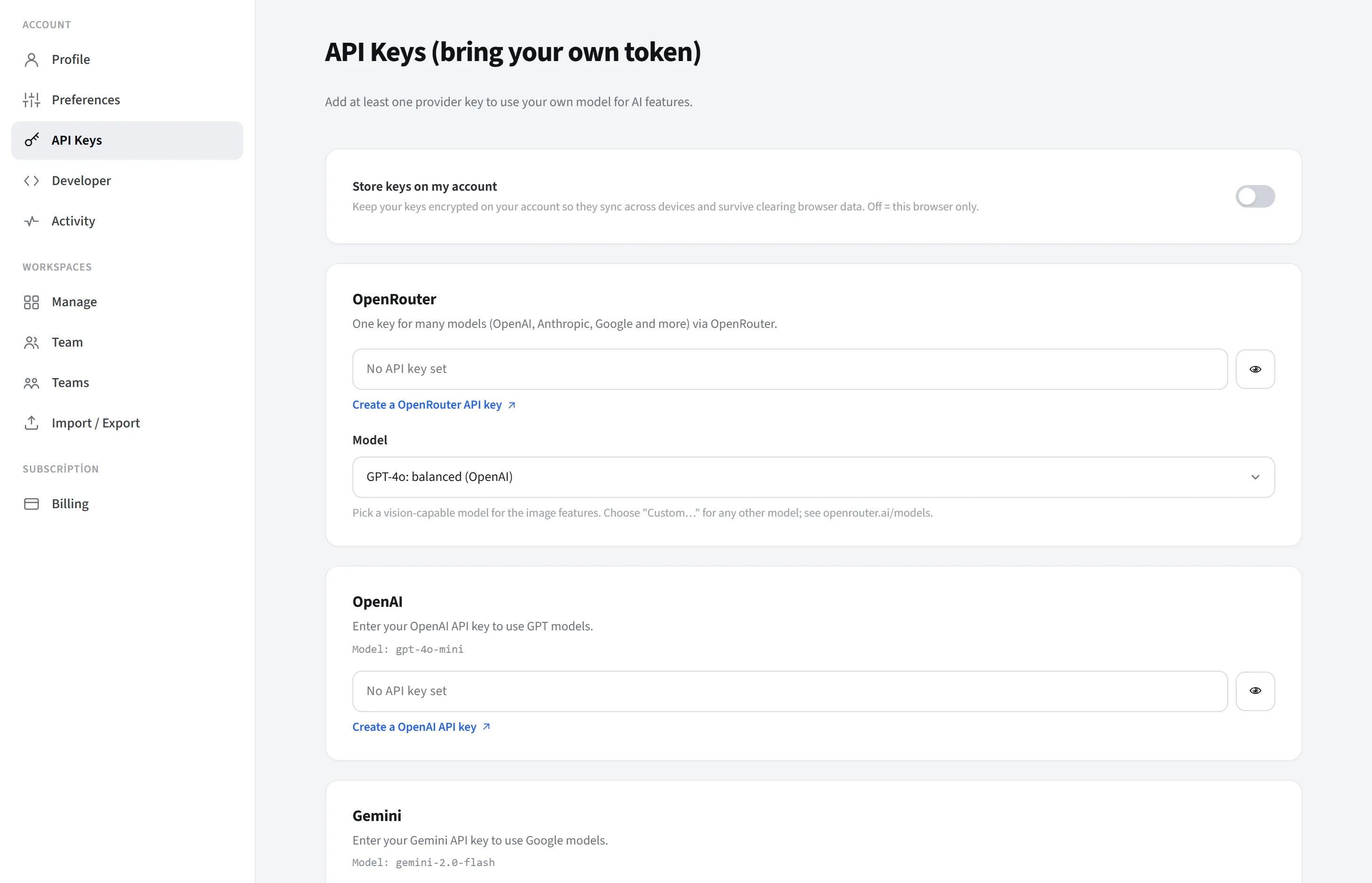
API keys is in the Account group of the Account settings page. You manage your keys here to run AI features with your own provider key (BYOK: “bring your own token”). To use the AI features, it is enough to add at least one provider key.
Who sees it
Section titled “Who sees it”Signed-in Pro/Enterprise users (on SaaS), or all members on self-hosted. Free/guest users do the single-provider quick setup from the Preferences → AI Settings window; both paths edit the same key map.
Storage location
Section titled “Storage location”You decide where your keys are kept with a single switch (Store in my account). There are two cases:
- Local (your own browser), the default (switch off): your keys are stored only in your own browser and are sent directly to the provider on AI calls; they never go to LetDraw’s servers. If you clear your browser data the keys are deleted; when you move to another browser or device you have to enter them again.
- Store in my account (on): your keys are kept in your account AES-GCM encrypted; they are synced across your devices and persist even if you clear your browser data. They still go directly to the provider on every call and are not shared with anyone. (When you turn the switch on, your current local keys are moved to the server; when you turn it off they are deleted from the server and the keys stay local.)
- Self-hosted: keys are stored (encrypted) on your own server and synced across devices; in this setup the switch is always on (cannot be changed).
In short, the default behavior is “the key stays only with you, sent directly to the provider”; storing in your account makes this encrypted and cross-device.
Providers
Section titled “Providers”You enter a separate key for each provider. On each card:
- a hide/show button for the key,
- a “Create key” link to the relevant provider’s key page,
- a “Model: …” badge showing which model that key will call.
The key is saved not on every keystroke, but when you leave the field (blur) or press Enter.
Supported providers:
- OpenRouter (
sk-or-…): access to many models with a single key (OpenAI, Anthropic, Google and more). It has no fixed model; the card has a model picker (for visual features, choose a vision-capable model; for any other model use “Custom…”). Key:openrouter.ai/keys. - OpenAI (
sk-…): GPT models. Model: gpt-4o-mini. Key:platform.openai.com/api-keys. - Gemini (
AIza…): Google models. Model: gemini-2.0-flash. Key:aistudio.google.com/apikey. - Anthropic / Claude (
sk-ant-…): Claude models. Model: claude-haiku-4.5. Key:console.anthropic.com/settings/keys.
Security note
Section titled “Security note”Your keys, in whatever state, are sent only to the AI provider; LetDraw does not share them with third parties. By default the key does not leave your own browser; when “Store in my account” is selected it is stored encrypted.