

Live collaboration
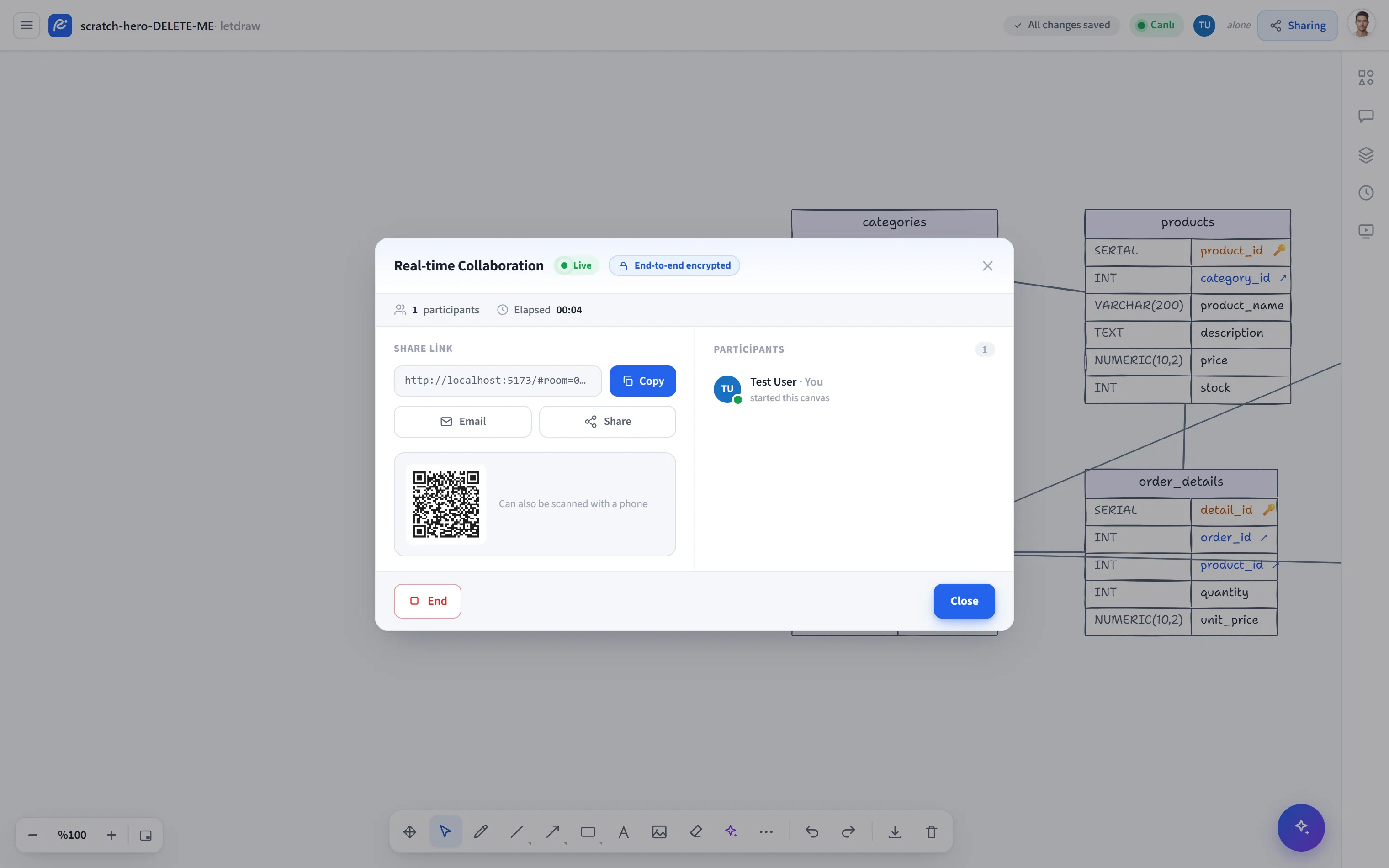
Live collaboration opens an end-to-end encrypted room. Everyone you share the link with works on the same canvas at the same time: changes sync instantly, and every person’s cursor and selection show up live. Unlike Share link, this is a two-way, live session.
How to open it
Section titled “How to open it”Click the Share button in the top right and choose Live collaboration from the menu. (You can also reach it via the hamburger menu -> File -> Share.)
How to use it
Section titled “How to use it”- Open Share -> Live collaboration.
- Type the display name you want to appear (filled in automatically if you are signed in) and press Start; the encrypted room is created.
- Copy and send the Share link: invite by email, use the system Share sheet, or have people scan the QR code.
- Everyone who opens the link joins the room, and you start editing together.
During the session
Section titled “During the session”- The top bar shows Live and End-to-end encrypted badges, the participant count, and the Duration.
- The Participants list has everyone’s avatar; you can follow a participant’s screen with Go to their view (it scrolls to the same area), and press again to release it.
- When someone joins or leaves, brief info bubbles appear; the top bar shows live status and avatars.
Ending
Section titled “Ending”The End button closes the session. Closing the window (Esc / clicking outside) does not stop the session, so you can copy the link again without accidentally ending it.
Security
Section titled “Security”- The room is end-to-end encrypted; the room key travels in the address
fragment of the link (after the
#) and never leaves your browser or reaches the server. The relay server only forwards encrypted messages and cannot read their content. - The QR code is also generated entirely in the browser; the room key still never leaks out.
- You can start as a guest too (only a name is required).