

Workspaces (Manage)
The first item in the Workspaces group of the settings page’s left menu is Manage. This is where you manage all your workspaces.
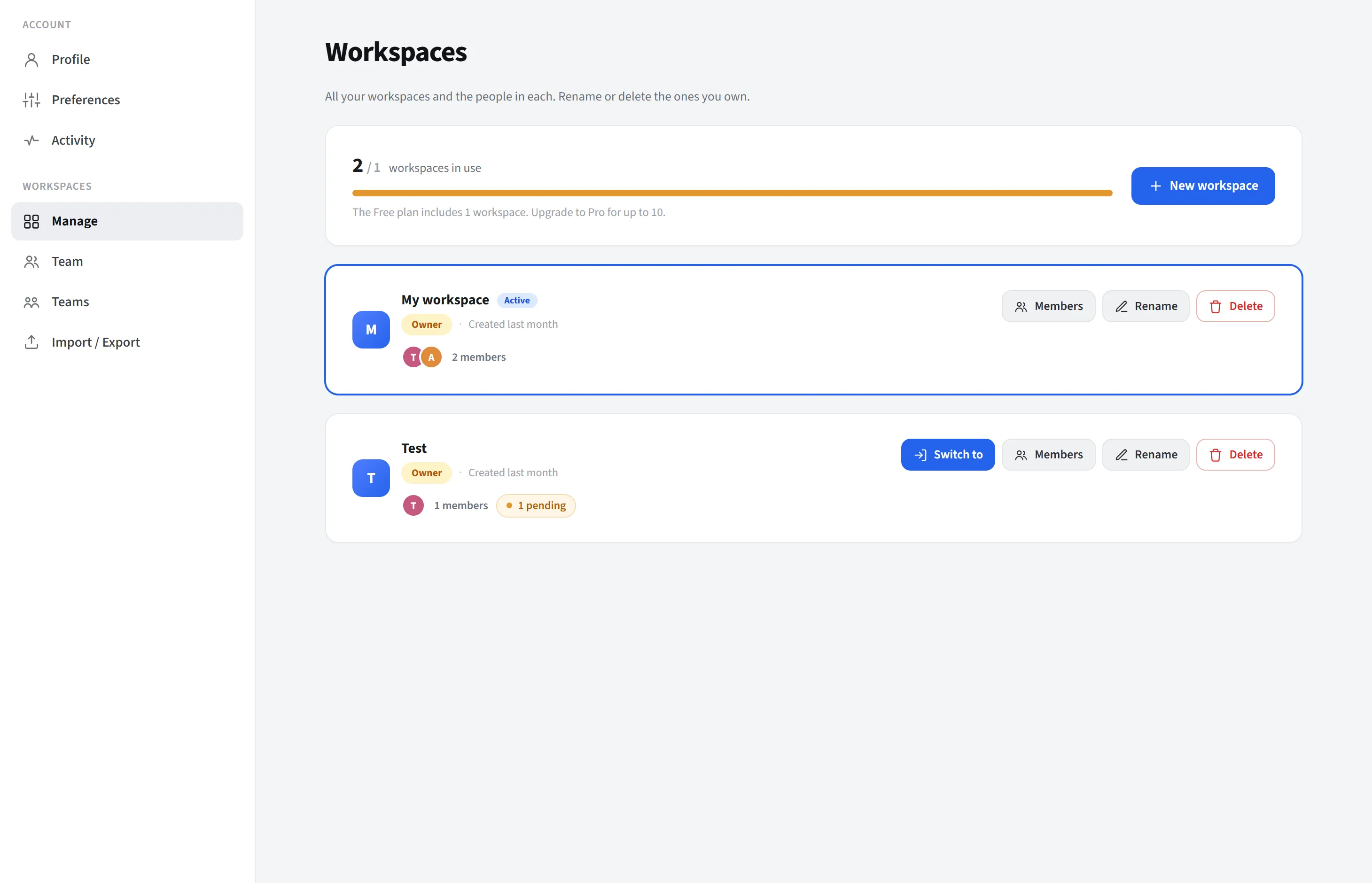
Plan usage and creation
Section titled “Plan usage and creation”At the top there is a used / limit indicator (Free 1, Pro 10, Enterprise/ self-hosted unlimited). You create a workspace with New workspace; on the Free plan this button opens the upgrade dialog.
If there are enough workspaces, a search and sort (recently used / name) bar appears. Workspaces are grouped as owned by you and shared with you. The active workspace is pinned to the top.
What’s on the cards
Section titled “What’s on the cards”Each card shows the name, your role (owner/editor/viewer), the creation and last activity times, member avatars, and (for owners) the number of pending invitations. Actions:
- Switch: switch to that workspace.
- Members: goes to that workspace’s Team page (switches to it first).
- Rename and Delete (owner; at least one workspace must remain).
- Leave: leave a shared workspace.